Safety Model
wcpay is designed for developers and agents, so safety is enforced by code, not only by documentation.
Credential handling
Prefer interactive prompts over passing secrets as command-line arguments. Shell history, terminal scrollback, and local process listings can expose values passed with --consumer-secret.
Use read-only WooCommerce REST API keys for inspection. Use read/write keys only when you need write-capable test/dev workflows.
Live-mode rule
Live-mode stores are read-only.
wcpay blocks any write/destructive operation before sending the request unless WooPayments is in test/dev mode.
Read methods
GETHEADOPTIONS
Write/destructive methods
POSTPUTPATCHDELETE
Mode detection
Before a write, the CLI calls:
GET /wp-json/wc/v3/payments/settingsWrites are allowed only when one of these mode flags indicates test/dev mode:
is_test_mode_enabledis_test_mode_onboardingis_dev_mode_enabled
Raw API writes
wcpay api is intentionally available as an escape hatch, but raw writes are restricted to reviewed WooPayments paths and /wc/v3/orders. Use --allow-unsafe-path only for deliberate maintenance/debugging work outside those paths.
Dry runs
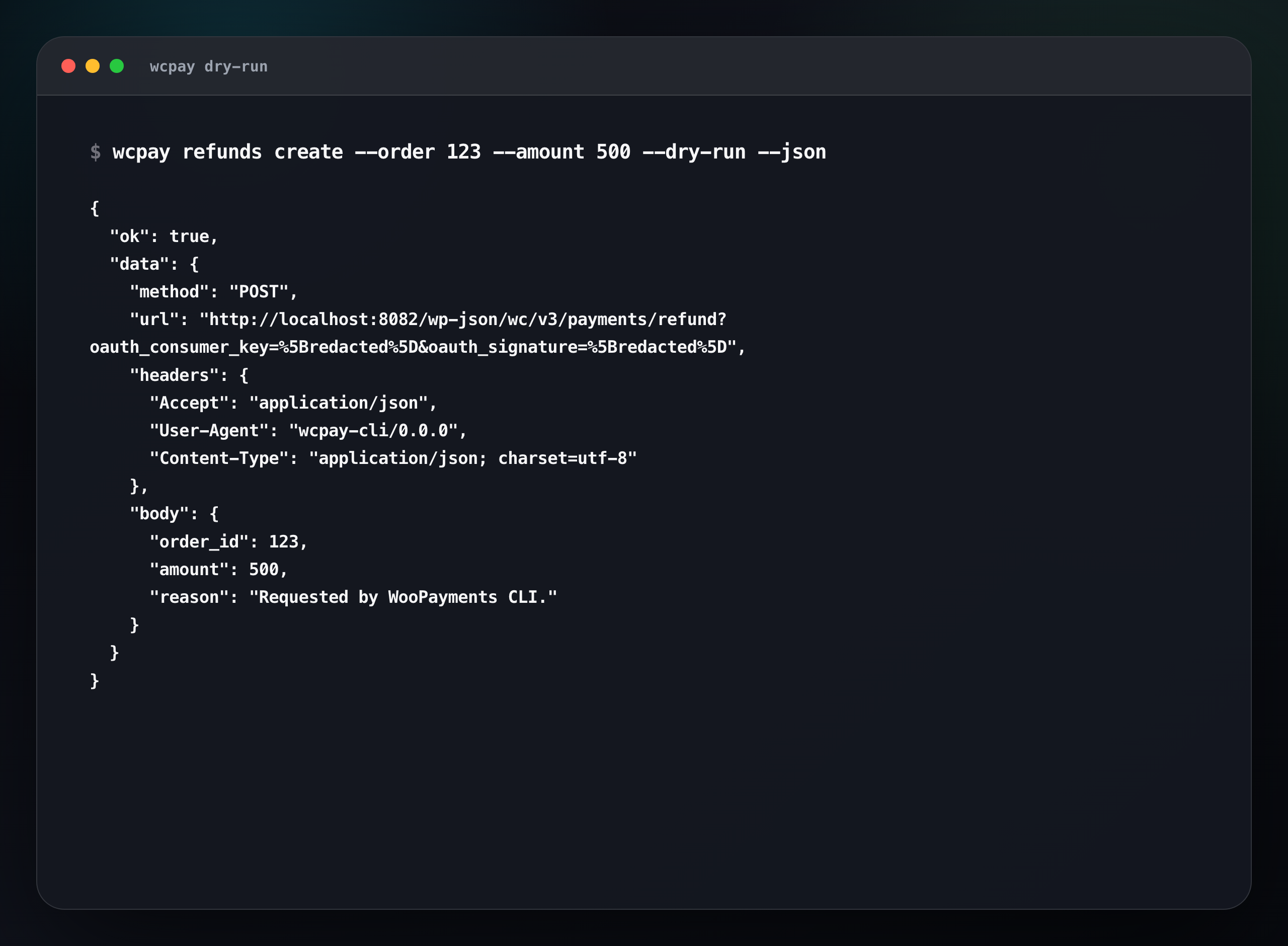
Every write-capable command supports:
--dry-runDry runs validate auth, resolve the request, check mode, print what would happen, and send no write request. Dry-run output redacts auth query parameters and authorization headers.
Non-interactive confirmation
Interactive writes prompt for confirmation. Non-interactive writes require:
--yesError shape
JSON errors are stable:
{
	"ok": false,
	"error": {
		"code": "live_mode_write_blocked",
		"message": "WooPayments CLI only allows write operations in test/dev mode.",
		"status": 409
	},
	"meta": {
		"method": "POST",
		"path": "/wc/v3/payments/refund",
		"mode": "live"
	}
}